Scans done, modeling queue full? Scan to BIM services that turn your point clouds into Revit models, in your template, under your name.
53 million+ sq ft modeled from point clouds. That is 5 million+ m² since 2014, including 200+ white-label projects. Every model ships with a deviation heat map against your cloud.
Trusted by the World’s Most Demanding Plants.










































When do scanning firms and integrators send us their point clouds?
Scanning firms send us point clouds when field capture runs faster than their modeling team can turn scans into deliverables. Integrators and EPC firms send them when a brownfield project needs as-built geometry to design or simulate on, without hiring a modeling team for one job.
Which standards does a scan to BIM model follow?
Every scope is pinned to four references before modeling starts: Level of Development for geometry, Level of Accuracy for measured tolerance, an agreed level of information per object, and ISO 19650 for information management.
| Standard and edition | What it fixes in your model |
|---|---|
| BIMForum LOD Specification, 2025 edition | What each element shows at LOD 200, 300, 350 and 400: approximate, specific, connected or fabrication-level geometry. Level of Development (LOD) means how complete and reliable each modeled element is. |
| USIBD Level of Accuracy Specification v3.1 | The measured and represented tolerance band, from LOA10 to LOA50. Level of Accuracy (LOA) means how closely the model matches the real object. We state the LOA per zone, bounded by what your cloud supports. |
| ISO 19650, Parts 1, 2, 3 and 5 | Information management across the asset's life. Part 5 covers security-minded handling of facility data. |
| ISO 16739-1:2024 (IFC 4.3) · ASTM E2807 (E57) | Open formats: IFC for the model handover and E57 for the point cloud, so your data is never locked to one software vendor. |
Not sure which LOD or LOA to write into the scope? Use the LOD and LOA selector for a zone-by-zone table, or tell us what the model is for in the form and the engineer reviewing your scope recommends both.
What do our scan to BIM services include?
Every job covers four blocks of work, fixed per zone in a signed baseline before modeling starts: point cloud processing, building and services modeling, equipment modeling, and quality checks with delivery.
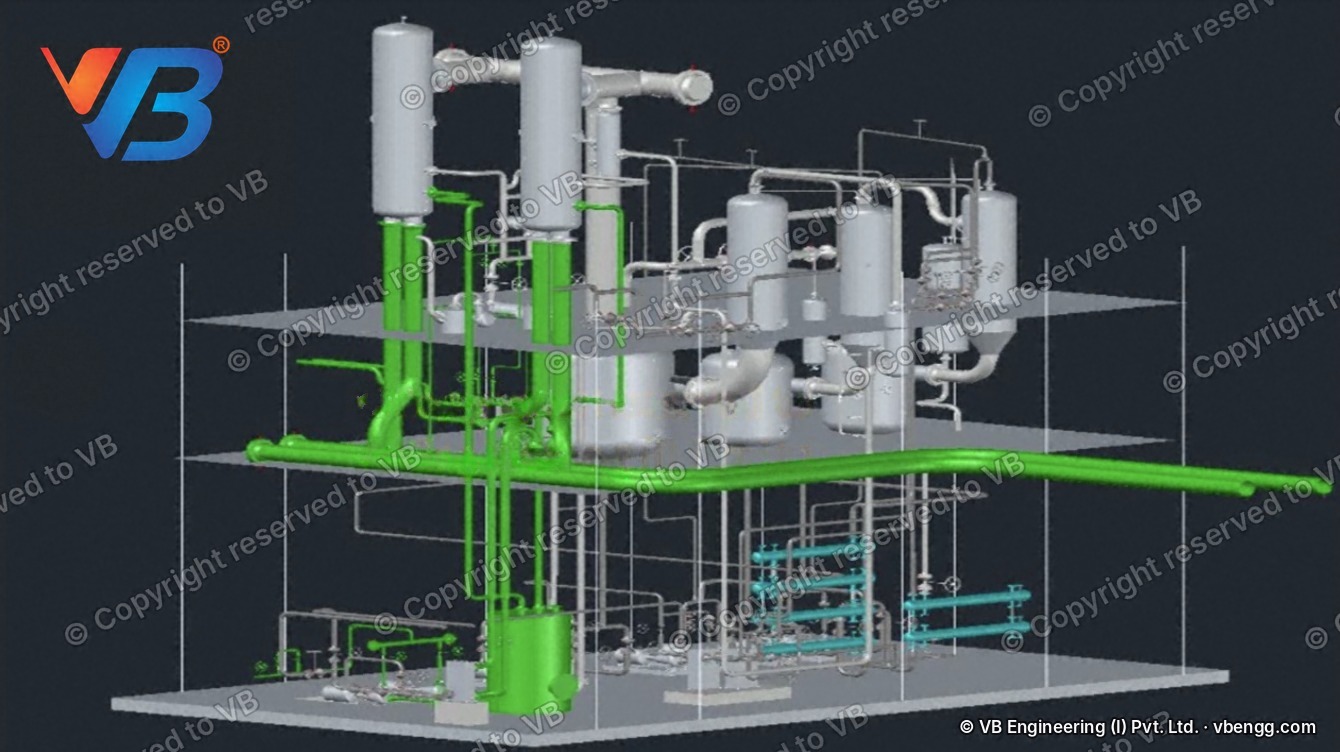
- Point cloud check. Integrity and coverage check of your registered cloud (E57, RCP/RCS or LGS) against the accuracy you need; gaps and noise reported in writing
- Layout Model, LOD 200. Architecture, structure and primary services at approximate geometry; equipment as named envelopes with asset IDs
- Scan-to-Simulation Model. LOD 200 plus equipment with origin, orientation, I/O points, flow direction and clearances, ready to import into FlexSim, Siemens Plant Simulation or Visual Components
- Detailed BIM, LOD 300. Specific size, location and orientation of architecture, structure, MEP and process piping above 2 in
- Coordinated BIM, LOD 350. LOD 300 plus connections, supports and interfaces for clash detection and tie-in design
- Fabrication-level BIM, LOD 400. Fabrication detail where visible in the cloud, for prefabrication and shutdown packages
- Deliverables. RVT in your Revit version and template, IFC 4, NWD/NWC for coordination, a cloud-to-model deviation heat map and a signed QC checklist
- White-label by default. Your naming and folders, no VB branding, and we never contact your end client
Industry pages: steel plant 3D models · as-built factory models for automotive and EV line changes
Send the zones and the package you need in each. We confirm scope and price before modeling starts.
How much do scan to BIM services cost per square foot?
Scan to BIM is priced per square foot of floor area, by package and area type, and quoted as a fixed lump sum per job. Open warehouse floors cost the least to model, production floors more, and dense utility or process areas the most, because modeling effort follows density, not floor area alone.
| Part of the work | How it is priced | What moves the price |
|---|---|---|
| Building and services model | Per square foot of measured floor area, by package (LOD 200 to 400) and area type | Area type, LOD, number of disciplines, process piping density |
| Equipment | Included up to a stated allowance per 1,000 m² (about 10,800 sq ft); extra items at an agreed per-item rate | Equipment count and tier: envelope, with clearances, simulation-ready or complex machine |
| Add-ons | Fixed price per item | Simulation export and verification, 2D as-built drawings, process piping per line foot, priority delivery |
Get a price estimate for your scan
Enter what you already know. The price goes out as a written proposal after an engineer reviews your scope, with a pilot option for a first job.
No price is shown on this page. An engineer checks your inputs and sends a written scope and price.
How does a scan to BIM job run?
Price and scope are fixed before modeling starts, and every model is checked against your point cloud before it reaches you. Comments on a draft loop back for up to two revision rounds within the signed baseline.
Cloud check and baseline
We check integrity and coverage, measure floor area per zone from the cloud, and agree packages, LOD, LOA and your template in a signed baseline.Model by zone
Building, services and equipment modeled to the agreed LOD in your Revit template and naming, with a weekly progress update from one named project manager.Check against the cloud
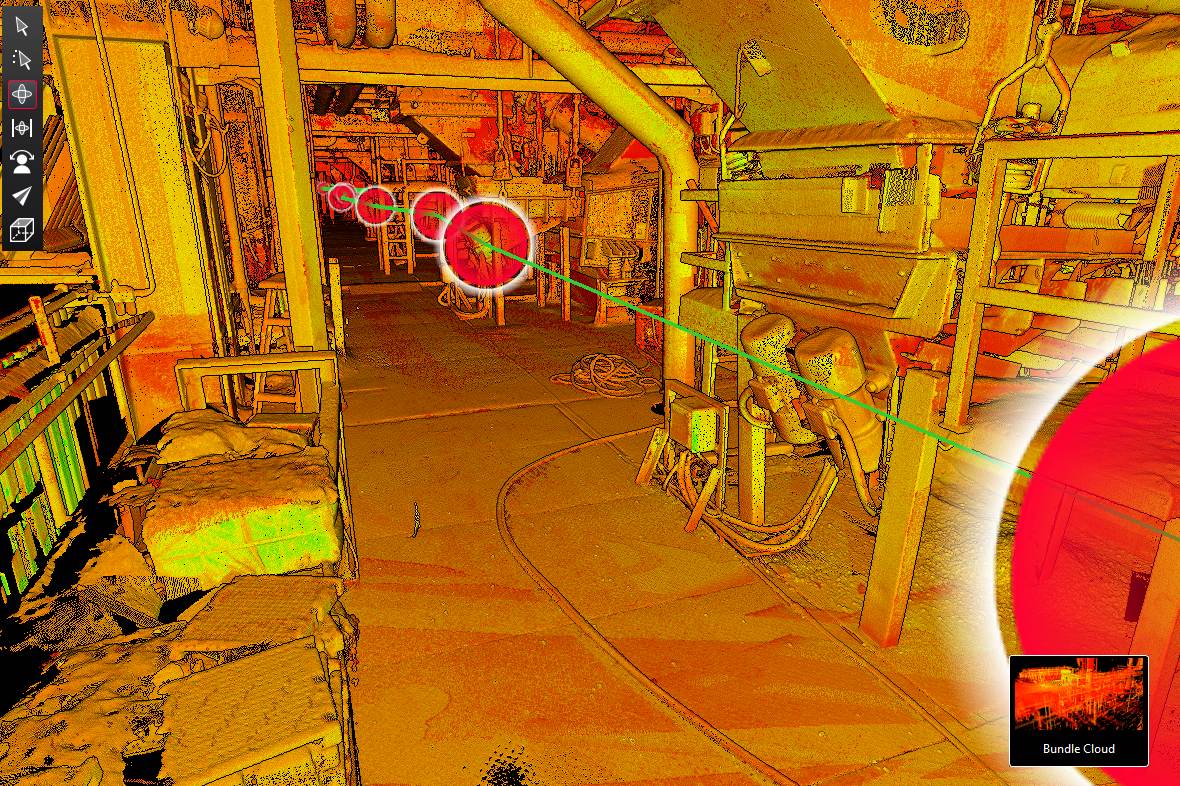
Modeler self-check, independent BIM lead review, then a cloud-to-model deviation analysis issued as a color heat map.Deliver and accept
Files issued unbranded in your template. You have ten business days to raise specific non-conformities, and two revision rounds are included.A model is never more accurate than the scan it is built from. That is why we check your cloud first and state in writing what accuracy it supports, before a single element is modeled. Anything the scanner did not see is not in the model.
Which software do we model your scan in?
We check and prepare clouds in Leica Cyclone REGISTER 360 PLUS and Autodesk ReCap Pro, model in Autodesk Revit in your version and template, coordinate in Autodesk Navisworks, and prepare simulation-ready layouts for FlexSim, Siemens Plant Simulation and Visual Components.
| Stage | Tools we work in | What you receive |
|---|---|---|
| Check the cloud | Leica Cyclone REGISTER 360 PLUS · Autodesk ReCap Pro | Coverage and accuracy report against the LOA you need |
| Model | Autodesk Revit (your version and template) · AutoCAD | RVT, IFC 4 and families; DWG drawings on request |
| Coordinate | Autodesk Navisworks | NWD/NWC for clash detection and review |
| Simulation export | FlexSim · Siemens Plant Simulation · Visual Components · FBX, STEP or USD for other platforms | Layout and equipment objects ready to import |
| Prove accuracy | Cloud-to-model deviation analysis against your registered cloud | Heat map PDF and image set, signed QC checklist |
Running a different platform? Tell us which one in the form. We deliver in the software, template and naming your team already uses.
Product names are trademarks of their respective owners.
Illustrative case: a mid-size automotive components plant in the US Midwest
This is a modeled example showing how a typical job is scoped and checked. The figures are scope inputs, not results from a named project.
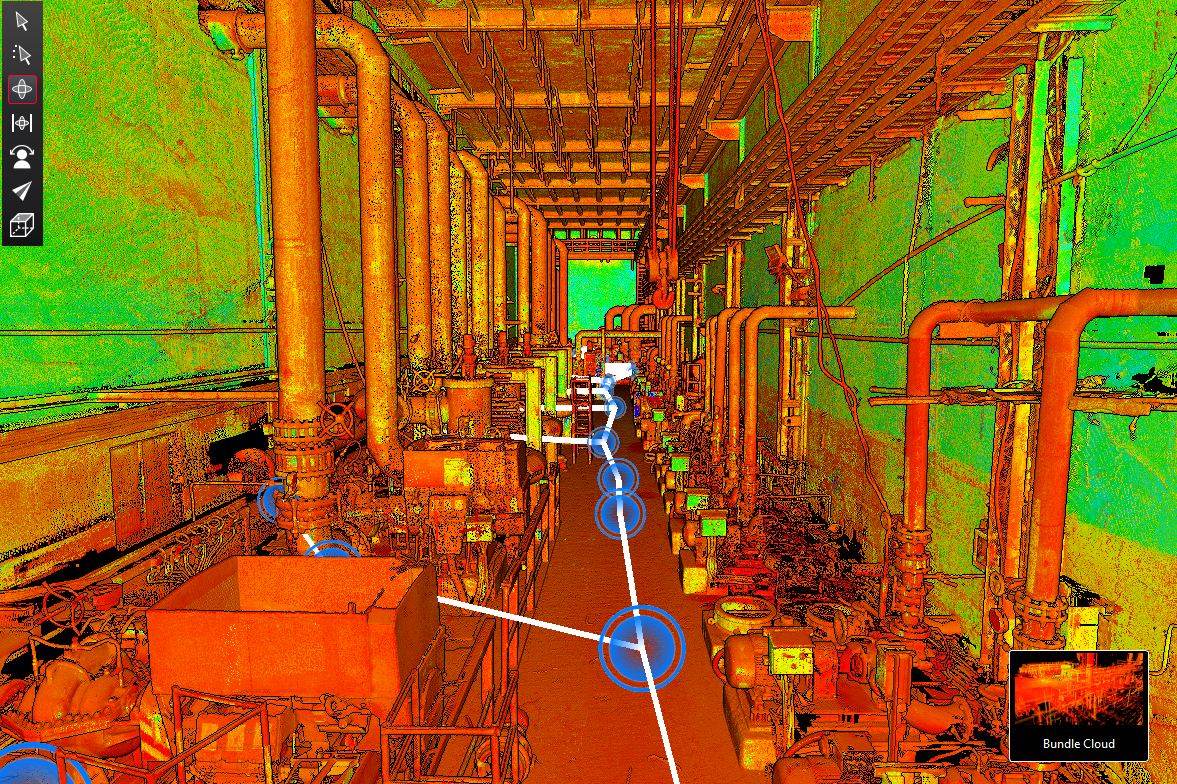
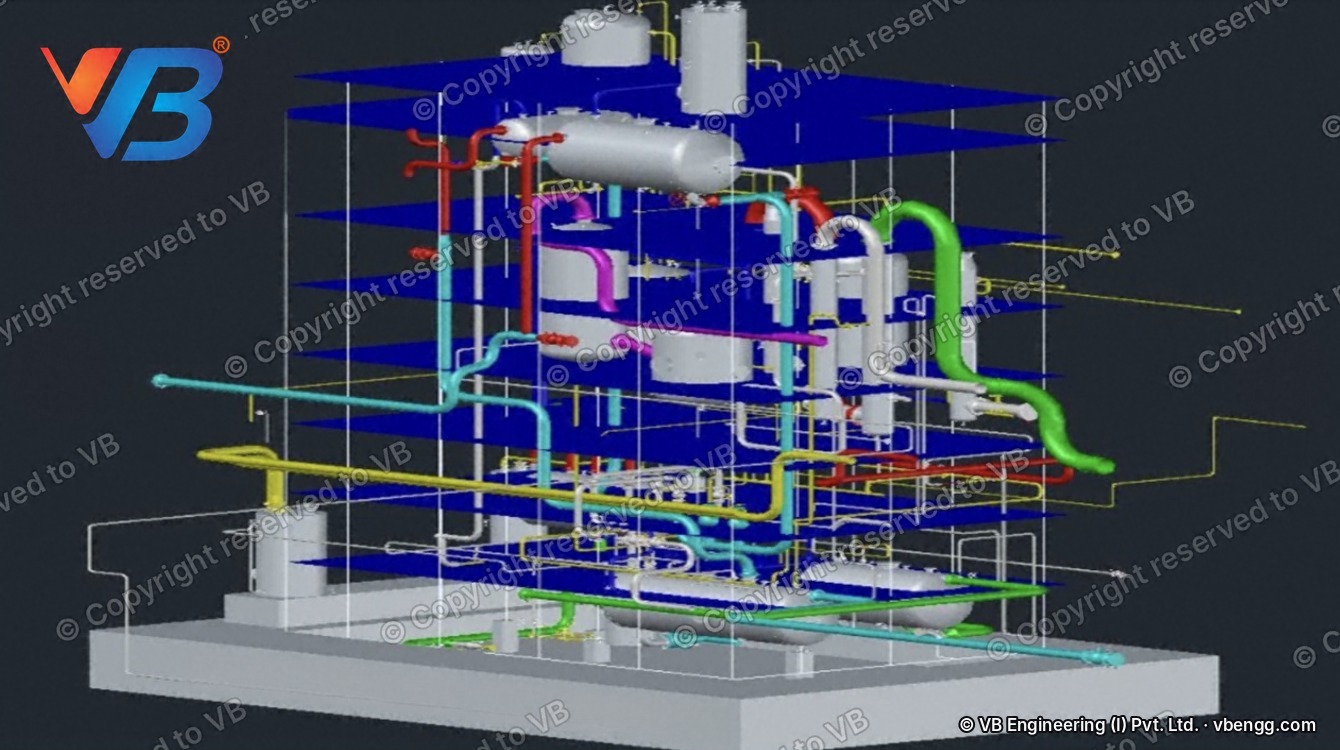
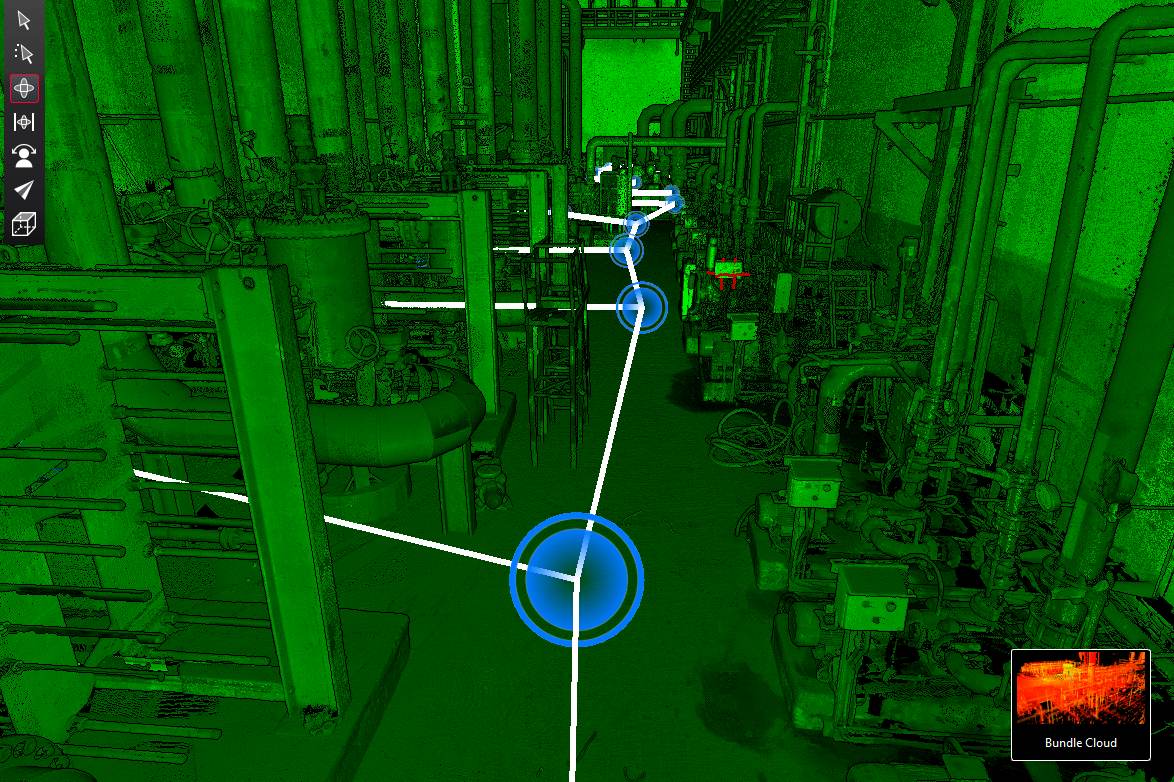
A regional scanning firm captured the plant for a line re-layout and needed a Revit model in its own template within its client's schedule. The cloud check states what accuracy the scan supports on the production floor and flags occluded areas in writing before pricing. The building is modeled to LOD 300 and the equipment to LOD 200 with origins, I/O points and clearances for the simulation team. Every delivery carries a deviation heat map, and the files go out unbranded for the scanning firm to issue.
Have a similar facility scanned? Send the floor area and package.
See a finished model before you send a scan
Download an anonymized sample: a point cloud beside the Revit model built from it, and the deviation heat map that came with the delivery.
- Point cloud and Revit model, side by side
- Cloud-to-model deviation heat map (PDF)
- Sample QC checklist
Who models, checks and signs off your model?
Every proposal names the BIM lead who models, the QA engineer who runs the deviation check, and the project manager you deal with, with CVs. Your US point of contact sits in Katy, Texas.
BIM lead
CV shared with the proposalQA engineer
Signs the deviation heat mapNamed project manager
Weekly progress updateScan to BIM services: the questions scanning firms ask
What are scan to BIM services?
Scan to BIM services convert a registered laser-scan point cloud into a BIM model, usually in Revit or IFC, at an agreed Level of Development (LOD) and Level of Accuracy (LOA). The modeler builds walls, structure, services and equipment from the cloud, then checks the model against it.
How much do scan to BIM services cost per square foot?
Scan to BIM is priced per square foot of floor area by package and area type: open warehouse floors cost the least, production floors more and dense process areas the most. Equipment is included up to an allowance and add-ons are priced per item. Send your floor area and package for a written price.
What is the difference between CAD to BIM and scan to BIM?
CAD to BIM builds a model from existing 2D drawings, which may not match what is installed. Scan to BIM builds it from a laser scan of the real facility, so the model shows what is actually there, within the accuracy the scan supports.
Can you deliver unbranded, in our Revit template, so we issue it under our name?
Yes. Files are delivered in your Revit template, naming and folder structure with no VB branding, and VB does not contact your end clients.
Should we hire Revit modelers or outsource point cloud modeling?
Hire when you have steady, year-round modeling volume and time to train. Outsource when volume peaks and dips, or when a job needs LOD 350 or simulation-ready equipment your team does not model every week. A dedicated modeler pod sits in between: named modelers, 140 productive hours a month, six-month minimum.
How do you check the model against the point cloud?
In three stages: the modeler checks against the zone baseline and your template, the BIM lead reviews completeness, naming and LOD, and a QA engineer runs a cloud-to-model deviation analysis, issued as a color heat map with every delivery.
Is it safe to send point cloud data offshore for modeling?
Yes. VB's information security management system is certified to ISO 27001:2022 (certificate ISMS-MMXXVI-1-16407, valid to January 2029). Your data is used only for your project, under NDA, held on VB's secure systems and deleted after acceptance. Modeling is carried out by VB's production team in India. Facilities under ITAR or EAR export control, and defense sites, are excluded from this service.
Which file formats do you accept and deliver?
We accept registered clouds as E57, RCP/RCS or LGS, with the control report. We deliver RVT in your Revit version, IFC 4 and NWD/NWC, and on request DWG drawings, FBX, STEP or USD, plus the cleaned cloud as E57 or RCP.
Can AI or automatic tools convert a point cloud to Revit today?
Automatic extraction handles simple walls, floors and straight pipe, but industrial facilities still need people to model equipment, connections and occluded areas and to check the result. Every model we deliver is checked against the cloud with a heat map, however it was built.
Can the same model feed a FlexSim or Plant Simulation study?
Yes. The Scan-to-Simulation Model package adds origin, orientation, I/O points, flow direction and clearances to each piece of equipment and prepares the layout for import into FlexSim, Siemens Plant Simulation or Visual Components.
Do you work with scanning firms in Germany and the rest of the EU?
Yes. We model for scanning and survey firms outside the US in English, deliver in your Revit or IFC template, and quote in EUR on request. India Standard Time runs 3.5 to 4.5 hours ahead of Central European Time, which leaves several shared office hours each day for scope calls and model reviews. Your data is handled under the same ISO 27001:2022-certified controls as US work: used only for your project, under NDA, and deleted after acceptance.
Do you provide Revit modeling and BIM outsourcing services from point clouds?
Yes. Revit modeling from point clouds is the BIM outsourcing service on this page: architecture, structure, MEP and equipment at LOD 200 to 400, built in your template and naming, and checked against your cloud with a deviation heat map. Every model starts from a scan of an existing facility.
What should you look for in scan to BIM companies?
Five things: a written check of your point cloud before the price is fixed, LOD and LOA stated zone by zone, a cloud-to-model deviation heat map with every delivery, delivery in your own template, and certified information security. Ask for a pilot on one zone before you commit a full project.
Related services
Send us one scan as a pilot
The fastest way to judge a modeling partner is one real job. Start with a pilot on one zone of your choice, sized with you, at an introductory rate, with the full QA and heat map.
- Scope and price confirmed before modeling starts
- Delivery in your template, unbranded
- Deviation heat map with the model
Prefer to write? connect@groupvb.com · or WhatsApp us from the chat button
VB Group® · Sustainability A Certainty.
Get your scope and price
Floor area, package and Revit version are enough to start.